Morning student queue
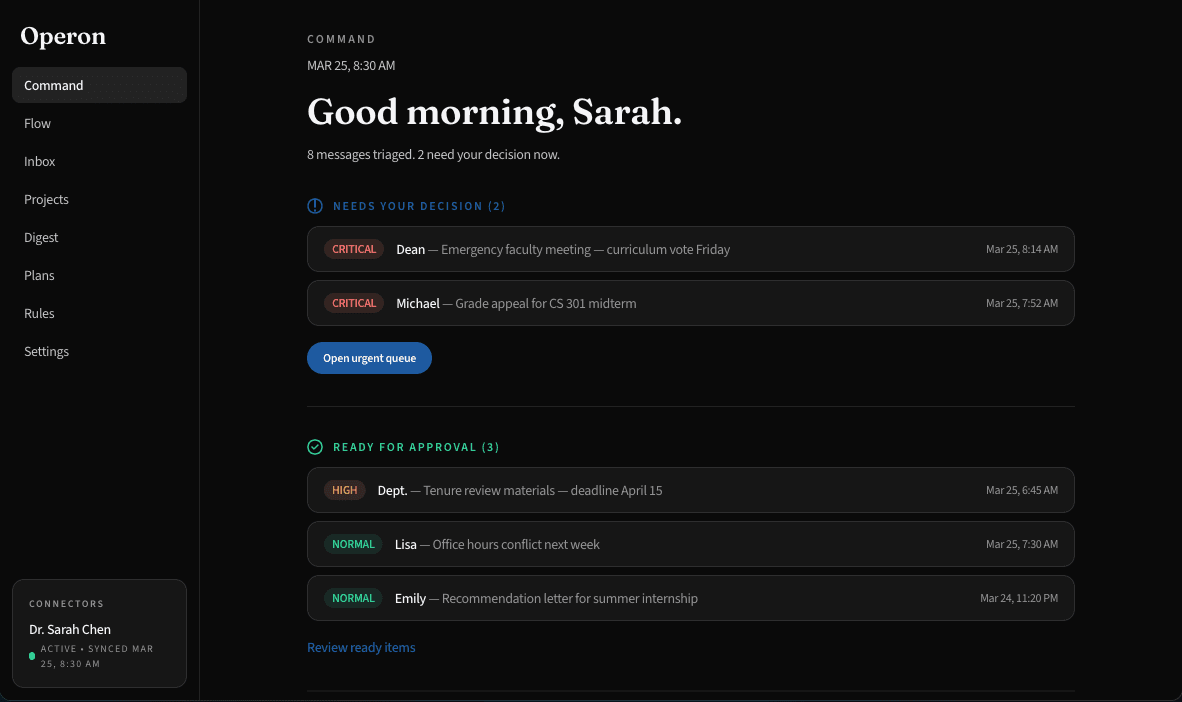
Before Operon, urgent student messages sit inside a noisy inbox stack. With Operon, student-facing requests move into a focused review queue while routine updates drop into digest.
For individual faculty
Operon helps professors spot the student emails that need attention, attach course and policy context, and prepare review-ready drafts shaped by their own teaching rules, response values, and boundaries.
Flag
Grade appeals, extensions, letters, advising asks, and missing materials stop competing with routine announcements.
Remember
Syllabus rules, rubrics, school policy, department policy, and professor instructions travel with the draft.
Review
Operon prepares the response; the professor edits, approves, and sends it.
Professor review queue
Dr. Sarah Chen, CS 301
Needs review
Grade appeal: CS 301 midterm Q4
Policy window attached: response due in 5 business days.
Draft ready
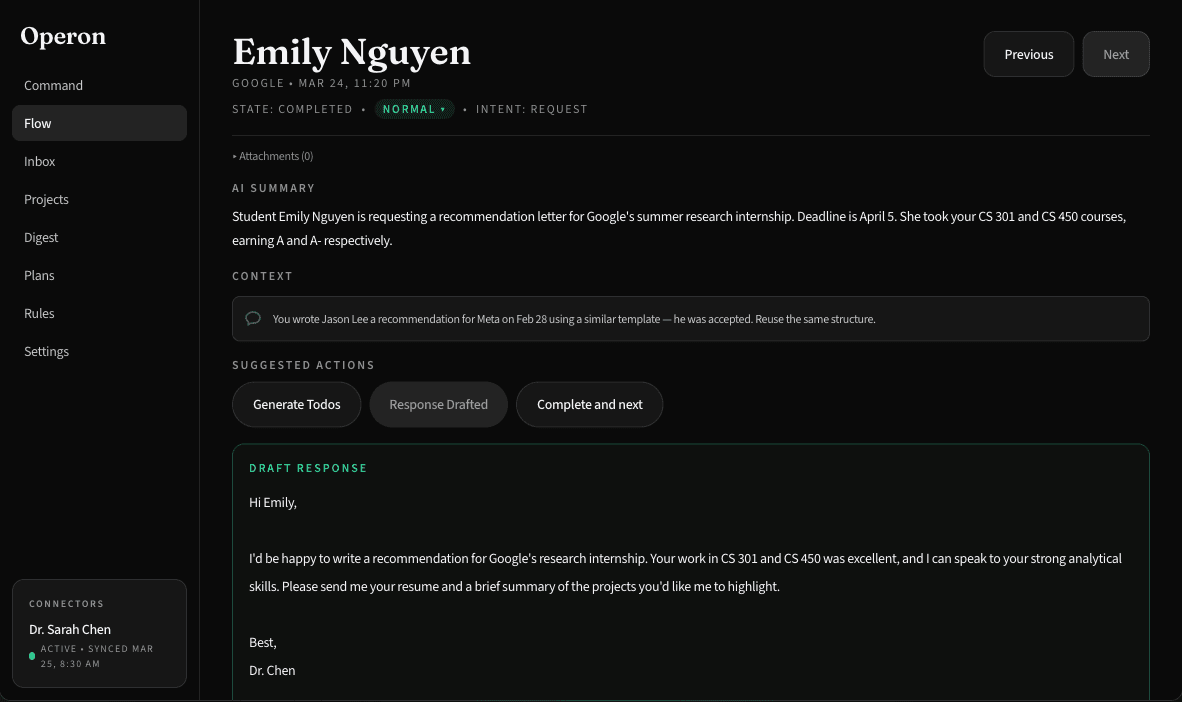
Recommendation request for summer internship
Missing resume and project notes extracted for follow-up.
Digest
Faculty newsletter and campus updates
Visible later, not treated like student-facing work.
Life with and without Operon
The first Higher Ed use case is not a campus-wide knowledge system. It is a professor opening email and immediately knowing which student requests need judgment, context, and a careful reply.
Before Operon, urgent student messages sit inside a noisy inbox stack. With Operon, student-facing requests move into a focused review queue while routine updates drop into digest.
Before Operon, the professor searches across rubric, syllabus, precedent, and deadline context. With Operon, those sources attach to a pending draft for professor review.
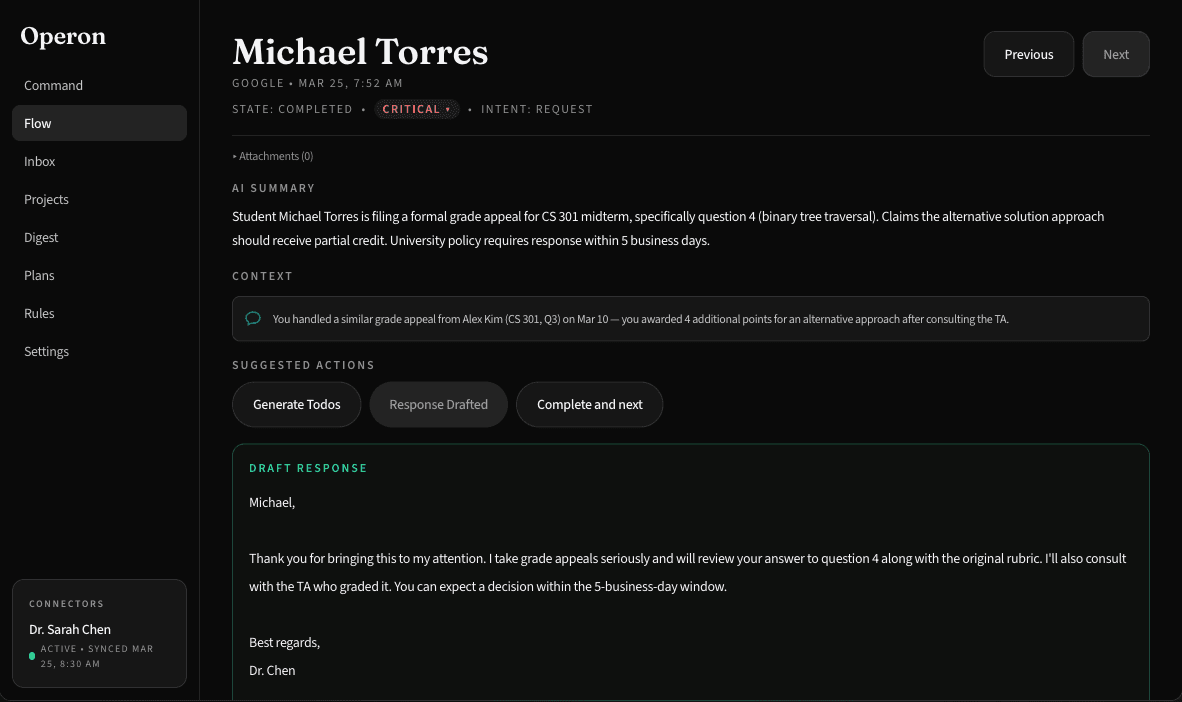
Before Operon, letters and advising follow-ups scatter across email, calendar, and missing materials. With Operon, deadline, materials, and draft review stay connected.
Feature focus
Tailoring comes from memory, rules, and instructions the professor controls. Operon prepares the work; the professor remains responsible for the answer.
Operon separates student requests from routine traffic so professors can start with grade appeals, extensions, letters, advising asks, and missing materials.
Each professor can define rules, values, tone, response boundaries, course policies, school policy, and department policy that shape draft behavior.
Drafts adapt to the student ask and the professor's instructions. Operon does not decide outcomes; it prepares work for professor judgment.
Policy and student data
Higher Ed workflows can involve student records and personally identifiable information. This page should position Operon as policy-aware drafting support, not an automated compliance decision-maker.
U.S. Department of Education student privacy FAQOperon can help keep FERPA-sensitive context and institutional policy visible while drafting, but the professor and institution remain responsible for review and approval.
The professor sets how specific, concise, supportive, or boundaried replies should be. The system follows those instructions instead of inventing a teaching philosophy.
Drafts stay pending until the professor edits, approves, and sends them from the final workflow.
Start narrow
The first win is simple: fewer buried student obligations, more consistent responses, and less manual context gathering before a professor can answer.
Other industry paths